> For the complete documentation index, see [llms.txt](https://developer.firmhouse.com/llms.txt). Markdown versions of documentation pages are available by appending `.md` to page URLs; this page is available as [Markdown](https://developer.firmhouse.com/sdks/storefront-js-sdk/shopify/add-an-integrated-cart-to-your-shopify-store.md).
# Add an integrated cart to your Shopify store
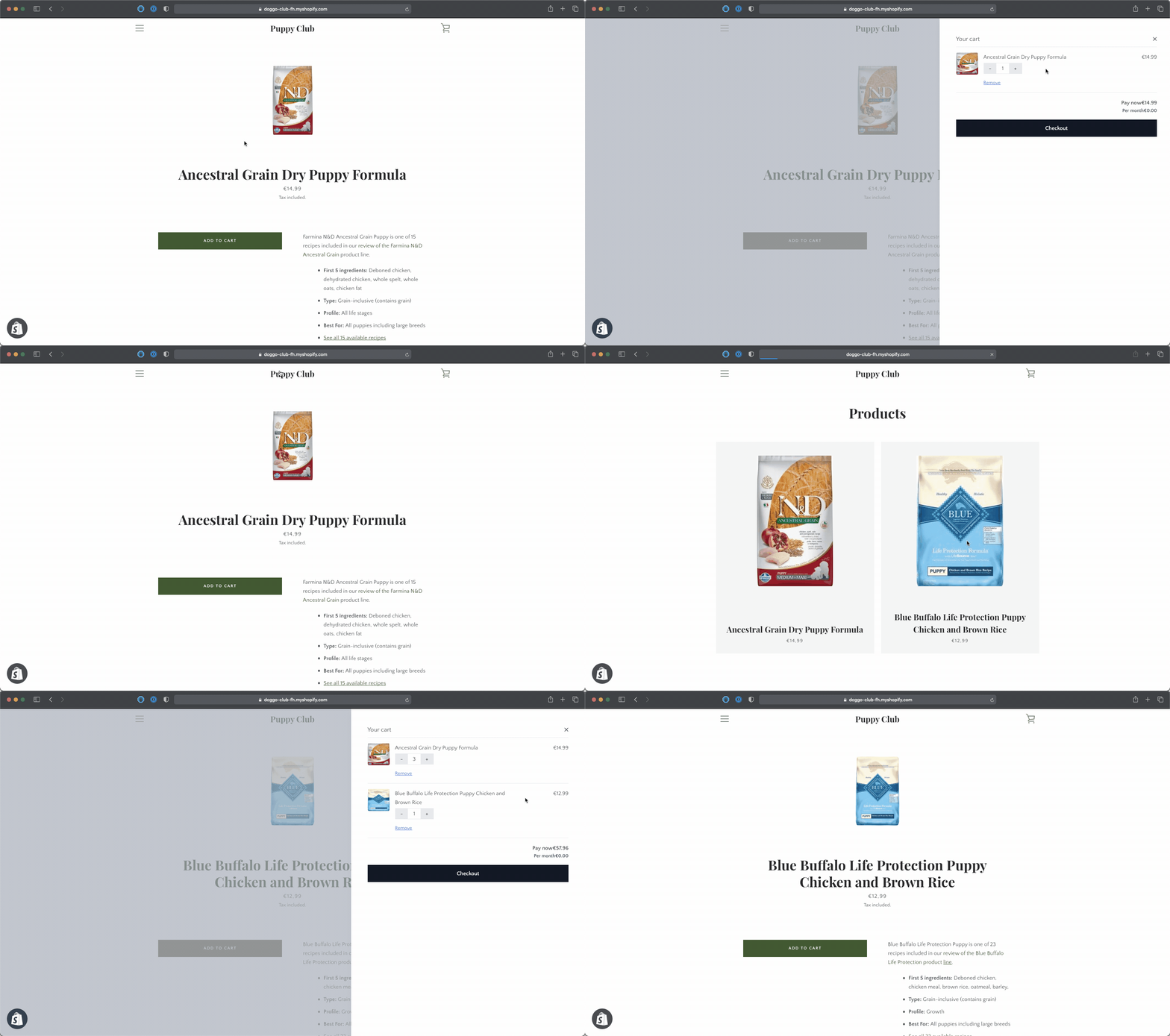
When successfully set up it will look like this:
To get this working in your Shopify store you will need to do three things:
1. Add the Firmhouse Storefront JS SDK to your theme's code.
2. Update or replace the existing "Add to cart" button.
3. Update or replace the existing "View cart" button.
Before following this guide make sure your [Firmhouse project is connected to Shopify](https://help.firmhouse.com/en/articles/5076167-connecting-your-shopify-shop).
### Have your Storefront token ready
Before continuing this guide. Make sure you've [created a Storefront token](/sdks/storefront-js-sdk/create-a-storefront-api-token.md).
### Embed the Storefront JS SDK in your Shopify theme
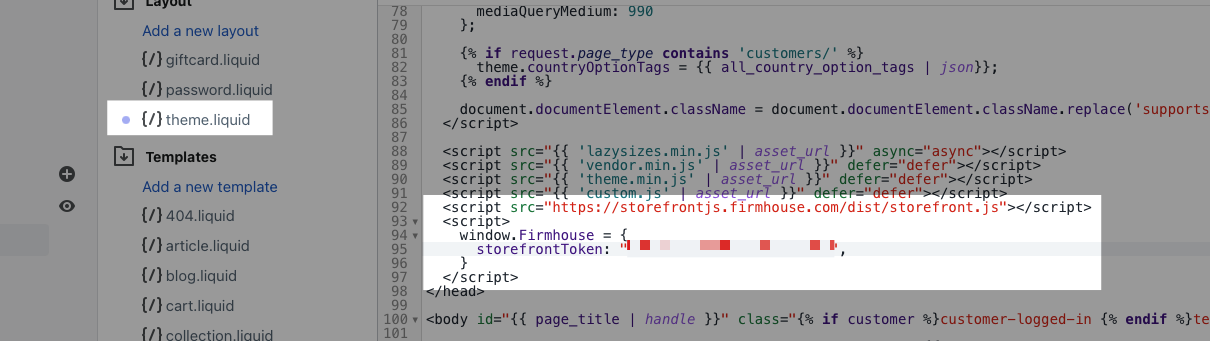
Edit your Shopify theme and add the following snippet to your `` section, replacing `yourtokenhere` with your actual token.
```html
```
This will be different for every theme but `theme.liquid` is typically a great place to add this next to the other scripts that you are loading in.
### Add or update the *Add to cart* button
Almost there! Now we're getting to the fun stuff.
Lets make sure that that the *Add to cart* button on your product detail pages will actually add the product to the cart.
You want to locate the liquid file that contains your *Add to cart* button. Most likely this is in your `product-template.liquid` but that can be different for every theme.
Open `product-template.liquid` and find the line where the product form gets loaded in. It looks like this:
```liquid
{% raw %}
{% form 'product', product, class:form_classes, id:form_id, data-product-form: '' %}
{% endraw %}
```
{% hint style="info" %}
**Pro Tip**: Use Ctrl/Cmd + F to search within the file and look for `form 'product'`
{% endhint %}
This line might look a bit different based on your theme. Add the following to the end of the line, before the `%}` closing brackets:
```liquid
,data-firmhouse-target: 'productForm', data-variant-id: {{product.selected_or_first_available_variant.id}}
```
The full line should look like this:
```liquid
{% raw %}
{% form 'product', product, class:form_classes, id:form_id, data-product-form: '',data-firmhouse-target: 'productForm', data-variant-id: {{product.selected_or_first_available_variant.id}} %}
{% endraw %}
```
Make sure you save the file and continue.
### Link your quantity field (Optional)
Do this only if you are using a quantity field on your product detail page.
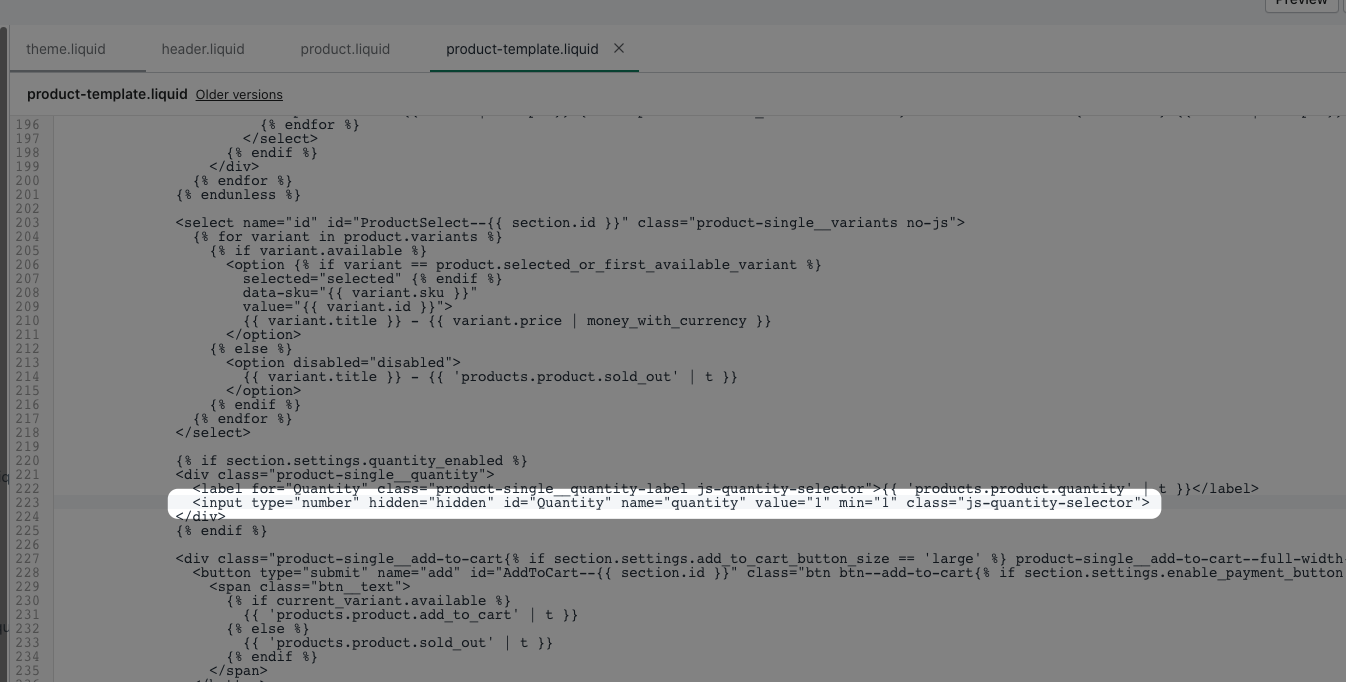
Within `product-template.liquid` locate the quantity field. Usually that is a few lines below the product form:
```html
```
Add the end of the `input` tag add the the following code:
```html
data-firmhouse-target="quantity"
```
so that the full line looks like this:
```html
```
Make sure you save the file and continue.
### Verify that everything went well
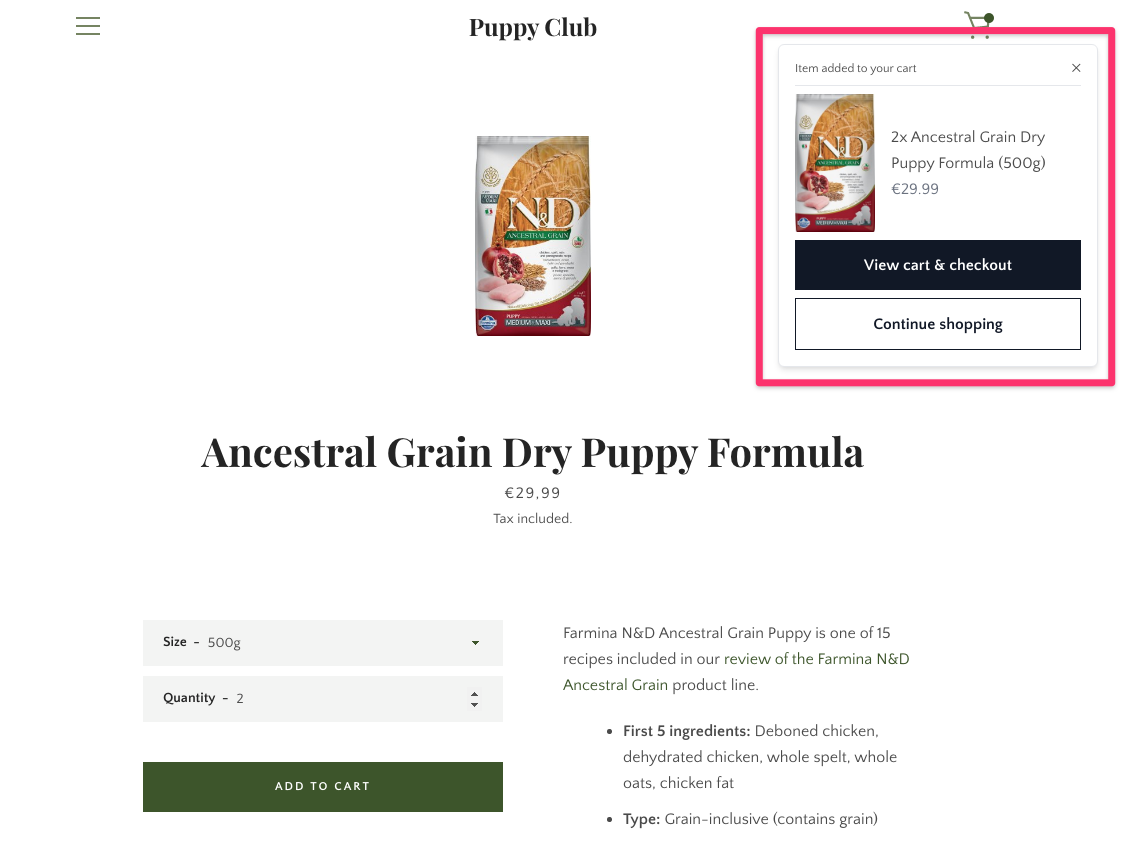
Clicking on the *Add to cart* button should trigger a new notification telling you that the product got added to the cart:
### Troubleshooting
If the "add to cart" button is not working as expected, check for (previous) installed apps that affect the checkout experience. Even removed apps can leave traces of code (JavaScript) in the theme that affect the behaviour of certain parts and block the full use of our Firmhouse code.